WLAN disconnects. Every now and then.
Sometimes every hour, sometimes every 5 minutes.
Log:
Microcode SW error detected.  Restarting 0x82000000.

Firmware version: 228.61.2.24
I had the problem with Ubuntu 9.10 (Karmic Koala)
and with Ubuntu 10.10 (Maverick Meerkat), too.
Maybe there’s a problem with the driver and the hardware encryption of the chipset?
And because I never want to search for this again, here’s what did it for me:
Create /etc/modprobe.d/iwlagn.conf with this content:
options iwlagn swcrypto=1
Reboot -> no more problems : )
Found at: Ubuntu Forum Community
Category Archives: Distributions
MySQL Replication Failed
I wanted to replicate a MySQL-Database using the integrated Master -> Slave mechanism.
Master-System: openSUSE 10.2, MySQL 5.0.26
The Slave-Setup: openSUSE 11.1, MySQL 5.0.67
This is quite easy to setup usually. This time, I almost had a nervous breakdown.
On the slave side the replication just didn’t start. The logfile showed these errors:
090421 20:49:28 [ERROR] Slave: Error 'Duplicate entry '790233' for key 1' on query.

...

090421 20:49:28 [ERROR] Error running query, slave SQL thread aborted. Fix the problem, and restart the slave SQL thread with "SLAVE START". We stopped at log 'mysql-bin.000008' position 30408893
As checking the database and making sure that there were no “duplicate entries”,
did not bring up any results, I found something curious (after hours and hours).
On the Master-System:
mysql> SHOW MASTER STATUS;

+- - - - - - - - + - - - - - + - - - - - - - + - - - - - - - - -+

| File           | Position  | Binlog_Do_DB  | Binlog_Ignore_DB |

+- - - - - - - - + - - - - - + - - - - - - - + - - - - - - - - -+

| mysql-bin.0001 |    10034  | mydb,mydb     |                  |

+- - - - - - - - + - - - - - + - - - - - - - + - - - - - - - - -+
Why is the database listed two times? In the configuration it’s only used one time:
binlog-do-db = mydb
After spending some time on google, I found the reason:
http://bugs.mysql.com/bug.php?id=20748
It’s a bug : / MySQL (in that version) is reading the configuration file twice.
If installing a newer version is not possible, you can use this workaround:
Start MySQL with the option --defaults-file=/etc/my.cnf
This advices MySQL to ONLY use this config file.
When console columns and lines are not enough
If you want to use a higher resolution on your linux console, you have to add the specific option while loading the kernel.
i.e: kernel /vmlinuz-2.6.25 root=/dev/sda3 resume=/dev/sda2 vga=0x0325
Problem: The settings differ depending on your graphics card.
But: There is an easy way: hwinfo
[ sudo ] hwinfo −−framebuffer
Example output:
Mode 0x0307: 1280×1024 (+1280), 8 bits
Mode 0x031a: 1280×1024 (+2560), 16 bits
Mode 0x031b: 1280×1024 (+5120), 24 bits
Mode 0x0305: 1024×768 (+1024), 8 bits
Mode 0x0317: 1024×768 (+2048), 16 bits
Mode 0x0318: 1024×768 (+4096), 24 bits
Mode 0x0312: 640×480 (+2560), 24 bits
Mode 0x0314: 800×600 (+1600), 16 bits
Mode 0x0315: 800×600 (+3200), 24 bits
Mode 0x0301: 640×480 (+640), 8 bits
Mode 0x0303: 800×600 (+832), 8 bits
Mode 0x0311: 640×480 (+1280), 16 bits
Thanks to Gerd [de] for the hint.
SUSE Linux 10.1 discontinued and out of support
SUSE Linux 10.1 has reached End of Life : /
Quote from the opensuse-security-announce mailing list:
With the release of an mysql security fix on August 13 we have released
the last update for SUSE Linux 10.1. (Actually 10.1 was discontinued on
May 31st, but the queue took a bit longer to flush from all updates.)
See: http://lists.opensuse.org/opensuse-security-announce/2008-08/msg00004.html
VMware Server [1.06] on SLES 10 x86_64
OS: SUSE Linux Enterprise Server 10 SP1 (x86_64) [64 bit]
VMware Server [1.06] depends on some 32 bit software:
+ xorg-x11-libs-32bit-6.9.x (should automatically add the other packages, too)
– expat-32bit-2.0.x
– fontconfig-32bit-2.3.x
– freetype2-32bit-2.1.x
– glibc-32bit-2.x
– ncurses-32bit-5.x
– zlib-32bit-1.2.x
Additionally gcc, make, kernel headers, etc. have to be installed to run vmware-config-tools.pl properly.
HP Scanjet G2710 w/ Ubuntu 8.04 (Hardy Heron)
Today, I bought a new scanner – of course without checking linux compatibility : |
HP – a well known brand. Description says “Works with Max OS X, Win Vista, XP, 2000”. Linux wasn’t mentioned, but that’s quite common.
The default xsane backend package (<- v.1.0.19 [delivered with Ubuntu Hardy]) didn’t find a device, so I tried installing the beta release of the hp3900 sane backends (drivers).
This version is still beta status, but got my new scanner up and running : )
Continue reading HP Scanjet G2710 w/ Ubuntu 8.04 (Hardy Heron)
Ubuntu 7.10 – The Gutsy Gibbon
I’m absolutely fascinated by the new Ubuntu release (18 October 2007).
New features, that I like:
- Repositories are very easy to add
- Hardware detection is great
- Improved Gui, nice desktop effects
- Support for WEP, WPA, PPTP, etc. out of the box
- …
I just installed the system and it was never easier to set up wireless lan or a vpn connection in a linux distribution… Keep up the good work!
Screenshots of my desktop:
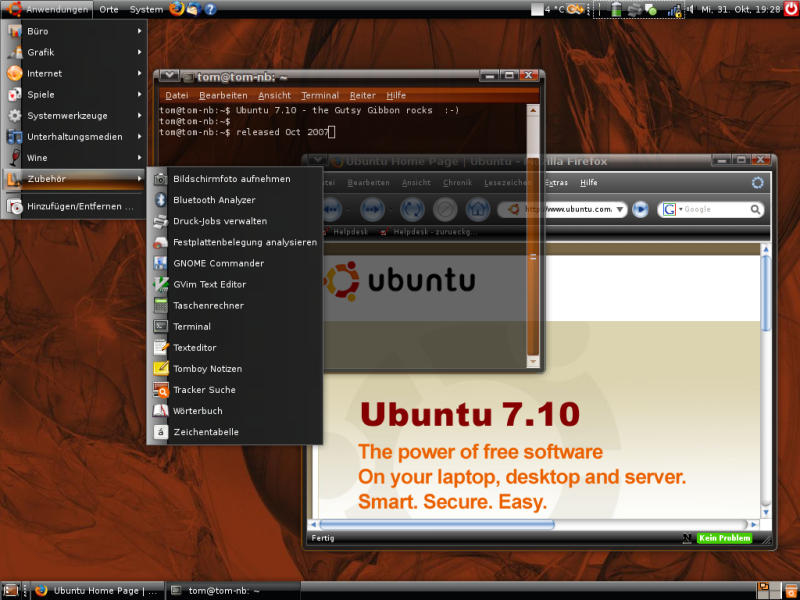
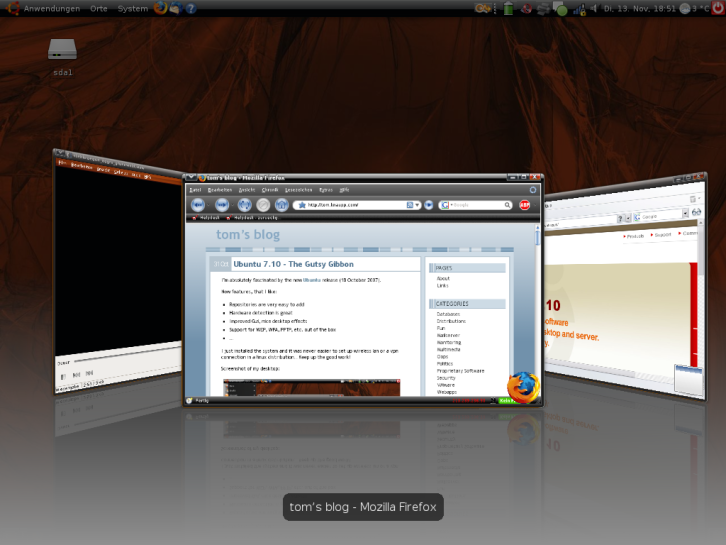
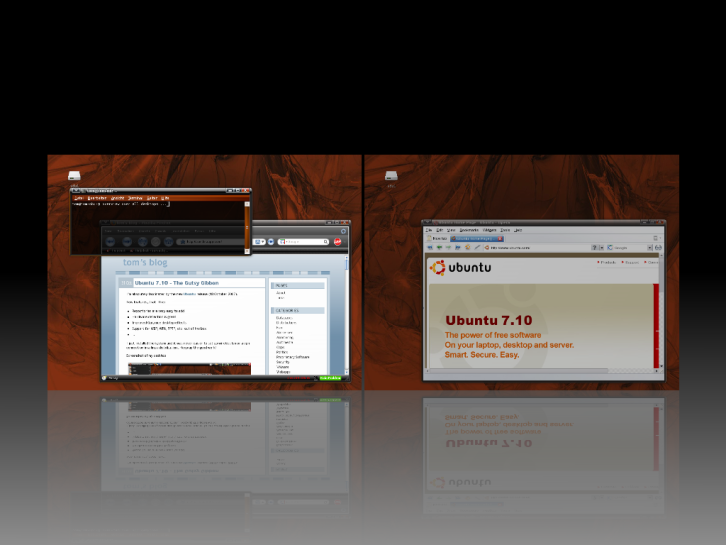
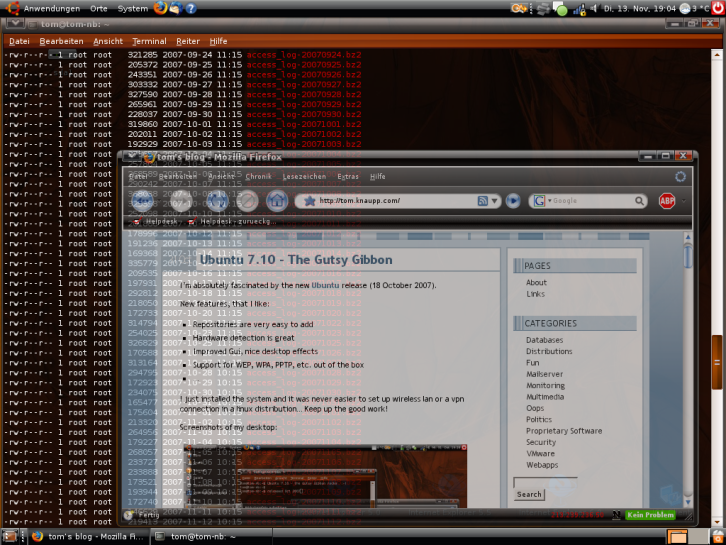
(click to enlarge)
Using multiple logiles in one awstats config
With awstats you can create great statistics and graphs about the access of your website. If you want to use more than one logfile in a configuration file, you can use logresolvemerge.pl which is included in the awstats package.
i.e.:
LogFile="/path2/awstats/tools/logresolvemerge.pl /var/log/apache/access_log /var/log/apache/another_log |"
Test your configuration:
/path2/awstats.pl -config=sitename -update
xt:Commerce & suPHP
After installing suPHP a few days ago, I had the first problem with a xt:Commerce installation. That’s what happened on a SuSE 10.0 system:
When trying to access the pages, it stayed blank and there were some wierd errors in the apache logfile:
[Mon Apr 02 16:44:48 2007] [error] [client x.x.x.x] PHP Fatal error: %v%v() [<a href='function.require'>function.require</a>]: Failed opening required 'DIR_WS_INCLUDESfilenames.php' (include_path='/usr/share/php5') in /path/to/user/html/includes/application_top.php on line 57
Reason was found quite quick:
The include path only had the default path and didn’t include the webroots any longer : (
Solution: change config in /etc/php5/cli/php.ini .
From:
include_path = "/usr/share/php5"
To:
include_path = ".:/usr/share/php5"
. = Homedir of webroot
: = next path
Installation of suPHP using Apache2 & PHP5
suPHP is a nice tool for executing PHP scripts with the permissions of their owners. It’s comparable to suexec (which is for perl scripts). When using this tool, you don’t need SafeMode any longer, etc…
Tested on: SuSE 10.0, openSuSE 10.1
Prerequisites: php5-fastcgi, autoconf, gcc
in openSuSE 10.1, I had to (soft)link some files:
ln -s /usr/include/apr-1/* /usr/include/apache2
configure in openSuSE 10.1:
./configure --with-apxs=/usr/sbin/apxs2 --with-php=/usr/bin/php5 \

--with-logfile=/var/log/apache2/suphp.log --with-min-uid=30 \

--with-min-gid=30 --with-apache-user=wwwrun \

--with-apr=/usr/bin/apr-1-config --with-setid-mode=owner \

--prefix=/usr --sysconfdir=/etc
configure in SuSE 10.0:
./configure --with-apxs=/usr/sbin/apxs2 --with-php=/usr/bin/php5 \

--with-logfile=/var/log/apache2/suphp.log --with-min-uid=30 \

--with-min -gid=30 --with-apache-user=wwwrun \

--with-apr=/usr/bin/apr-config --with-setid-mode=owner \

--prefix=/usr --sysconfdir=/etc
After that, usual way:
make; make install
Check your configuration at /etc/suphp.conf. For me, it looks someway like this:
[global]

logfile=/var/log/apache2/suphp.log

loglevel=info

webserver_user=wwwrun

docroot=/srv/www/htdocs

allow_file_group_writeable=false

allow_file_others_writeable=false

allow_directory_group_writeable=false

allow_directory_others_writeable=false

check_vhost_docroot=false

errors_to_browser=false

env_path=/bin:/usr/bin

umask=0022

min_uid=30

min_gid=30

;

[handlers]

;Handler for php-scripts

x-httpd-php=php:/srv/www/cgi-bin/php5

;Handler for CGI-scripts

x-suphp-cgi=execute:!self
Add suPHP module to your apache config (/etc/sysconfig/apache2):
APACHE_MODULES="access .... php5 suphp"
Create a new file to tell apache to use suPHP:
/etc/apache2/httpd.conf.local
<Directory "/srv/www/htdocs">

php_admin_value engine off

suPHP_Engine on

AddHandler x-httpd-php .php .php3 .php4 .php5

suPHP_AddHandler x-httpd-php

</Directory>
Include that in your apache configuration (/etc/sysconfig/apache2):
APACHE_CONF_INCLUDE_FILES="httpd.conf.local"
After restarting apache, it should be done ; )